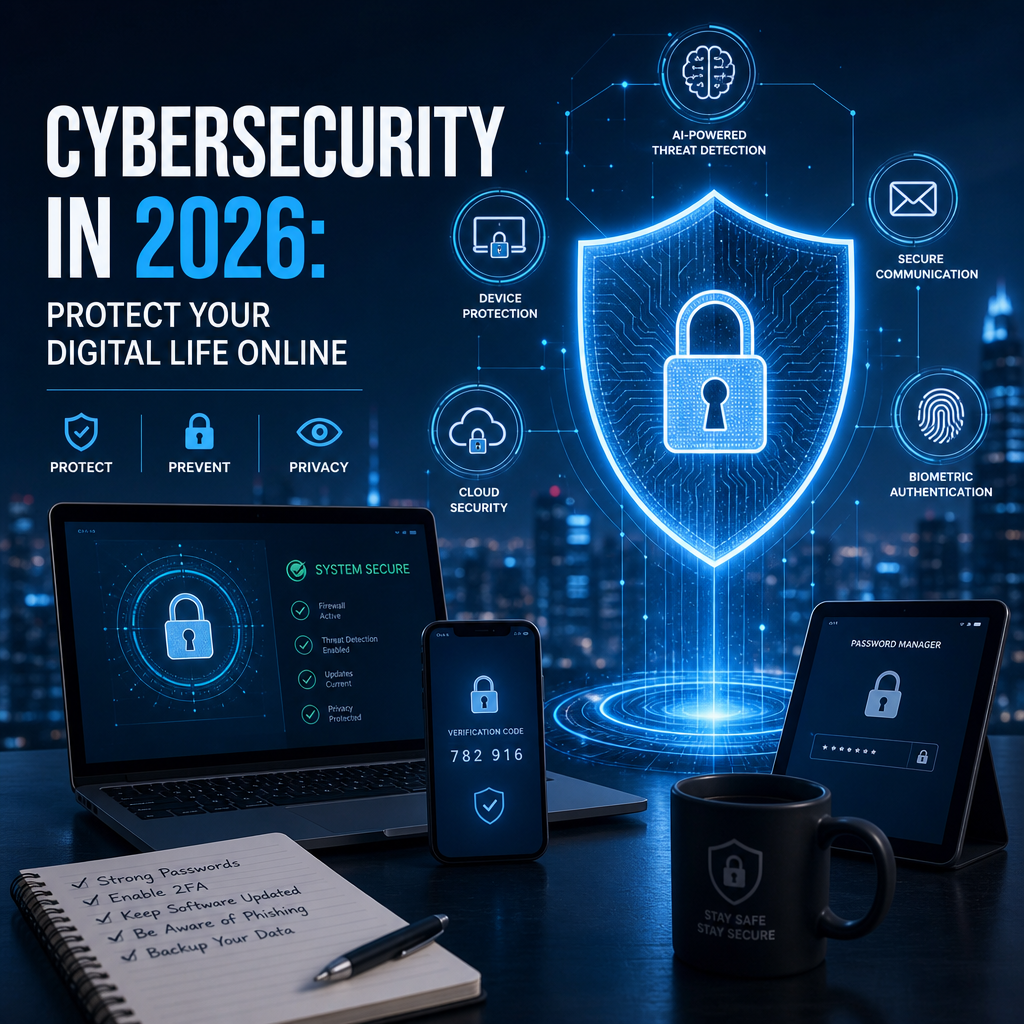
Cybersecurity in 2026: Protect Your Digital Life Online
Cybersecurity in 2026 matters more than ever as our banking, work, and home lives become increasingly connected. The good news is that a few smart habits can go a long way in helping you protect your data, identity, and devices.
By: Peter B on julho 30, 2026
Cybersecurity in 2026 is no longer just an IT concern—it’s a daily-life concern. From banking apps and smart home devices to remote work tools and AI-powered services, more of our personal and professional lives depend on connected technology than ever before. That convenience brings opportunity, but it also expands the number of ways criminals can target your data, identity, and devices.
The good news is that you do not need to be a security expert to protect yourself. With the right habits, tools, and awareness, you can dramatically reduce your risk. In this guide, we’ll explore the biggest cybersecurity trends shaping 2026, the threats most people face, and the practical steps you can take to strengthen your digital life.
Why Cybersecurity in 2026 Feels Different
Cybersecurity in 2026 looks different because the attack surface has grown. People now use more cloud accounts, more connected devices, and more AI-enhanced tools than ever before. At the same time, attackers have become faster, more organized, and more convincing.
The modern digital life is highly connected
A single person may now manage:
Personal email and messaging apps
Mobile banking and payment platforms
Smart TVs, cameras, thermostats, and wearables
Work accounts stored in cloud services
Shared family subscriptions and devices
Each account and device can become a doorway if it is not properly secured.
Attackers are using better tools too
Cybercriminals no longer rely only on obvious spam emails. They use:
AI-generated phishing messages
Deepfake audio and video scams
Credential stuffing from leaked passwords
Social engineering through text, voice, and social media
Malware that hides inside legitimate-looking files or apps
This means cybersecurity in 2026 is as much about verifying people and information as it is about protecting devices.
The Biggest Cybersecurity Threats to Watch in 2026
To protect your digital life, it helps to know what you are protecting against. While the threat landscape changes constantly, several risks stand out.
Phishing remains the most common gateway
Phishing is still one of the easiest ways for criminals to steal passwords, financial information, and account access. In 2026, phishing attempts often look more polished and personal than before. They may reference your bank, workplace, delivery service, or even a recent purchase.
Common signs include:
Urgent language demanding immediate action
Links that lead to fake login pages
Messages asking you to confirm payment or reset a password
Requests to open attachments you were not expecting
A practical rule: if a message creates pressure, stop and verify it through the official app or website.
Password reuse continues to cause major damage
Many people still reuse passwords across multiple sites. That is a serious problem because one breached account can lead to many more. If one service gets hacked, attackers often test those credentials elsewhere.
To reduce this risk:
Use unique passwords for every account.
Store them in a reputable password manager.
Turn on multi-factor authentication wherever possible.
Ransomware and account takeover affect everyday users
Ransomware often makes headlines when it hits businesses, but consumers can also be affected. Personal photos, tax records, family documents, and local backups can all be encrypted or deleted if your system is compromised.
Account takeover is equally dangerous. Once an attacker gets into your email, they may be able to reset passwords for banking, shopping, or social media accounts.
AI-driven scams are becoming more convincing
AI has made scams easier to scale. Attackers can now generate realistic messages in perfect grammar, imitate writing styles, and create fake customer support responses. In some cases, they can even mimic a voice message from a friend, boss, or family member.
Because of that, cybersecurity in 2026 requires a healthy skepticism—even when a message sounds familiar.
Cybersecurity in 2026: Core Habits That Protect Your Digital Life
The strongest protection usually comes from consistent habits rather than one expensive product. Here are the core practices that matter most.
Use a password manager
A password manager helps you create and store long, unique passwords without needing to remember them all. This is one of the simplest and most effective ways to improve security.
Look for a password manager that offers:
Strong encryption
Cross-device syncing
Secure password sharing
Breach monitoring
Multi-factor authentication for the vault itself
A password manager makes it realistic to use different credentials for every account, which can greatly limit damage if one service is breached.
Turn on multi-factor authentication
Multi-factor authentication (MFA) adds a second step when you log in. That might be a code from an app, a hardware security key, or a biometric prompt.
Not all MFA methods are equal, though. In general:
Authentication apps are better than SMS codes
Hardware security keys offer strong protection for high-value accounts
Biometrics can be useful, but should complement—not replace—other safeguards
Start with your email, banking, cloud storage, and social media accounts. Those are often the keys to everything else.
Keep software and devices updated
Updates can be annoying, but they are essential. Software patches often fix known vulnerabilities that attackers actively exploit.
Pay special attention to:
Your phone operating system
Computer operating system
Browser
Password manager
Security apps
Router firmware
Smart home device updates
If possible, enable automatic updates for trusted software.
Back up important data regularly
Backups protect you from ransomware, accidental deletion, hardware failure, and device loss. A backup only helps if you can restore it, so test it occasionally.
A good backup strategy often includes:
One copy in the cloud
One copy on an external drive
One copy stored separately from your main device
For important files like photos, tax documents, and business records, backups are not optional.
How to Safely Use AI Tools and Connected Devices
In 2026, many people use AI assistants, smart speakers, connected security systems, and automated services every day. These tools can be helpful, but they also create new privacy and security considerations.
Be careful what you share with AI systems
If you use AI tools for work or personal tasks, avoid entering sensitive information unless you know how it is stored and used. That includes:
Passwords
Bank account details
Social Security numbers
Private health information
Confidential work documents
Treat AI tools like public or semi-public systems unless your provider clearly explains strong privacy controls.
Secure smart home and IoT devices
Smart devices are convenient, but many have weaker security than phones or laptops. To reduce risk:
Change default passwords immediately
Use a separate Wi-Fi network for IoT devices if possible
Turn off features you do not use
Update device firmware regularly
Buy from brands with a clear security update policy
A smart camera or doorbell should not become the easiest way into your home network.
Review app permissions and connected accounts
Many apps ask for more access than they truly need. Over time, your phone and online accounts can become cluttered with old permissions and connected services.
Take time to:
Remove unused apps
Revoke access for old third-party services
Review location, microphone, camera, and contacts permissions
Check which devices are signed in to your accounts
A few minutes of cleanup can significantly lower your exposure.
A Practical Cybersecurity Routine for Everyday Life
The best cybersecurity habits are the ones you can actually keep. A simple routine can go a long way.
Weekly tasks
Check for software updates
Review suspicious login alerts
Delete or report obvious phishing emails
Confirm your backup completed successfully
Monthly tasks
Review your password manager for weak or reused passwords
Check account recovery methods
Look for unfamiliar devices connected to your accounts
Revisit privacy settings on major platforms
Yearly tasks
Audit your most important accounts
Replace weak or outdated security questions
Test restoring from backup
Review family or household cybersecurity practices
If you build these actions into your calendar, cybersecurity becomes manageable rather than overwhelming.
Cybersecurity for Families and Households
Digital protection is not just an individual issue. Shared devices, subscriptions, and home networks create shared risk.
Teach family members to spot scams
Children, teens, and older adults are often targeted because scammers know they may be less likely to question a message. Talk openly about:
Fake prize offers
“Urgent” messages from supposed relatives or employers
Stranger requests on social media
Suspicious links in texts or DMs
A family rule like “pause before clicking” can prevent a lot of problems.
Create separate accounts when possible
Avoid sharing the same login for everything in the household. Use separate email addresses, streaming profiles, and administrator accounts when appropriate. This limits the fallout if one account is compromised.
Protect children’s privacy
For younger family members:
Use parental controls thoughtfully
Limit public sharing of personal details
Review app permissions and chat features
Teach them never to share codes or passwords
Cybersecurity in 2026 includes helping kids build safe digital habits early.
What to Do If You Think You’ve Been Compromised
Even careful people can run into trouble. What matters is responding quickly.
Act fast if you suspect fraud or account theft
If you think your account has been compromised:
Change the password immediately.
Log out of all other sessions.
Enable or reset multi-factor authentication.
Review recovery email addresses and phone numbers.
Check for unauthorized purchases, messages, or forwarded email rules.
If financial information is involved, contact your bank or card provider right away.
Watch for signs of identity theft
Possible warning signs include:
Password reset emails you did not request
New login alerts from unfamiliar locations
Unexpected account lockouts
Unfamiliar charges
Mail about accounts you did not open
If identity theft is suspected, document what happened and contact the relevant institutions promptly.
Don’t ignore small incidents
A strange login alert or odd text message may seem minor, but it can be an early warning sign. Investigating quickly can prevent a much bigger problem later.
Building a Strong Security Mindset
Technology helps, but mindset matters just as much. The safest users in 2026 are not the ones who never receive threats—they are the ones who slow down, verify, and respond calmly.
Trust, but verify
Before clicking, downloading, paying, or replying, ask yourself:
Do I know this sender?
Is this request expected?
Can I confirm it through a separate channel?
Does the URL look legitimate?
Is there any pressure to act immediately?
When in doubt, go directly to the official app or website rather than using a link in the message.
Assume sensitive information has value
Your personal details may seem ordinary, but for attackers they can be very useful. Phone numbers, email addresses, birthdays, and location data can help criminals tailor scams or reset accounts.
Be selective about what you share online, especially on public profiles and forms.
Make security part of your routine
The best cybersecurity in 2026 is built through repetition. Use strong passwords, keep backups, update devices, and stay alert to scams. These habits may seem simple, but they are powerful when practiced consistently.
Frequently Asked Questions
1. What is the most important cybersecurity step for most people in 2026?
Using a password manager and enabling multi-factor authentication on important accounts are two of the most impactful steps. Together, they help prevent account takeover even if one password is exposed. Start with your email, banking, and cloud storage accounts, since those often control access to everything else.
2. Are password managers safe to use?
Yes, reputable password managers are generally much safer than reusing passwords or storing them in notes, spreadsheets, or browser memory alone. Look for strong encryption, a solid reputation, multi-factor authentication, and recovery options you trust. Use a unique master password and protect that account carefully.
3. How can I tell if an email or text message is a phishing attempt?
Look for urgency, unexpected requests, suspicious links, attachment prompts, and messages that push you to act quickly. Be cautious if the sender asks you to verify credentials, payment details, or personal information. When in doubt, contact the organization using its official website or app instead of the message link.
4. What should I do if my phone is lost or stolen?
Use a remote tracking or device-wiping feature as soon as possible. Change passwords for important accounts, especially email, banking, and cloud storage. Contact your mobile carrier if needed and review your account activity for unfamiliar logins or transactions. If you used the device for work, notify your employer or IT team.
5. Do smart home devices really create security risks?
Yes. Smart cameras, speakers, thermostats, and other connected devices can be vulnerable if they use weak passwords, outdated firmware, or unnecessary permissions. Secure them by changing default credentials, enabling updates, using a separate network if possible, and buying from manufacturers with a good security track record.
Cybersecurity in 2026 is about more than avoiding obvious scams. It is about building a practical defense for a digital life that now includes banking, communication, entertainment, work, and smart devices. The threats are more advanced, but the core principles remain steady: use strong unique passwords, enable multi-factor authentication, keep software updated, back up important data, and stay alert to suspicious messages and requests.
You do not need to become paranoid to stay safe. You just need a repeatable system that makes attacks harder and your decisions more deliberate. Start with your most important accounts, clean up old permissions, and make security part of your regular routine. Small improvements add up quickly, and they can make the difference between a minor scare and a major disruption. In a world where digital life keeps expanding, the best time to strengthen your cybersecurity is now.
Peter B holds a degree in Journalism and has 5 years of experience covering U.S. economic policy, labor markets, and financial news. He writes data-driven news content on topics like inflation, interest rates, and employment trends.